AVRoomPulse
See it live
Live · Enterprise AV operations

Every room.
Every system.
Always live.

A monitoring and operations platform for AV teams. Rooms, devices, inventory, health, and tickets — from one live view.
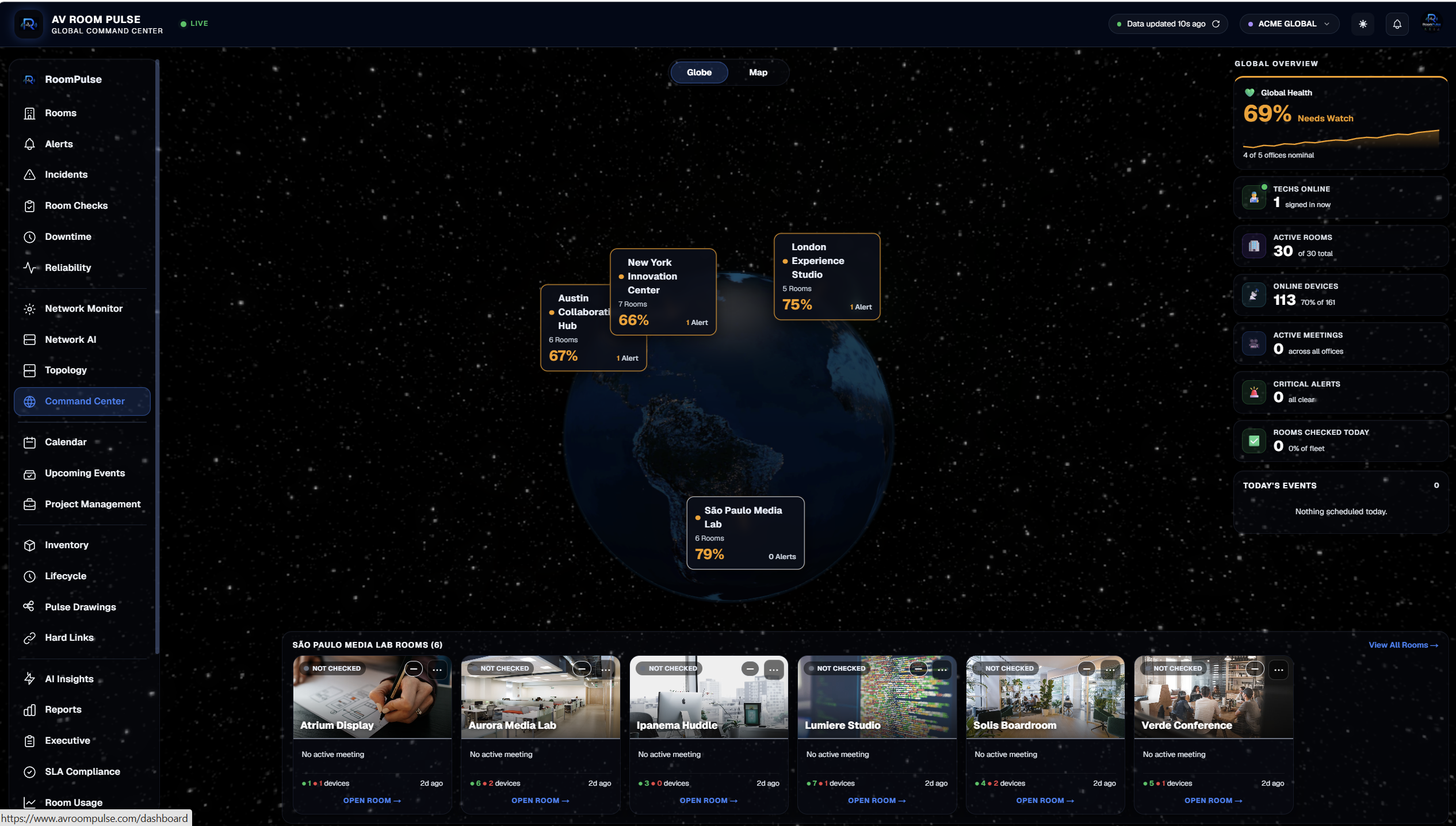

No signup. No install. 5 offices, live data.
Cloud-first Enterprise ready AI powered Live monitoring
AVRoomPulse — Global Command Center
Integrates with the AV vendor clouds you already trust
Five vendor ecosystems, one live view.
Zoom
Teams
Logitech
Netgear
Crestron
The platform

Five systems. One live pane.

Monitoring, AI diagnostics, digital twins, inventory, and analytics — built into one platform so your team stops chasing dashboards and starts closing tickets.
Real-time monitoring

Live health of every room, every device — pinged, polled, and streamed to one screen.

  • Sub-second telemetry
  • Multi-site rollup
  • Room-level ready state
AI diagnostics

Detect failures before users do. Auto-triage. Root-cause proposals with one-click fixes.

  • Anomaly detection
  • Suggested remediation
  • Audited approvals
Digital twins

Interactive dollhouse + Matterport walkthroughs. Every asset pinned to a real place.

  • Matterport tours
  • 3D device pins
  • Room-accurate layouts
Inventory

Every cable, every display, every asset — mapped by rack, room, and lifecycle stage.

  • Rack + port maps
  • Warranty tracking
  • Lifecycle stages
Analytics

Usage trends, room utilization, MTTR, uptime, cost-per-room — dashboarded and exportable.

  • Utilization + MTTR
  • Cost per room
  • CSV / API export
99.98%Fleet uptime target
< 60sHealth check cadence
1Pane of glass
24/7Live monitoring
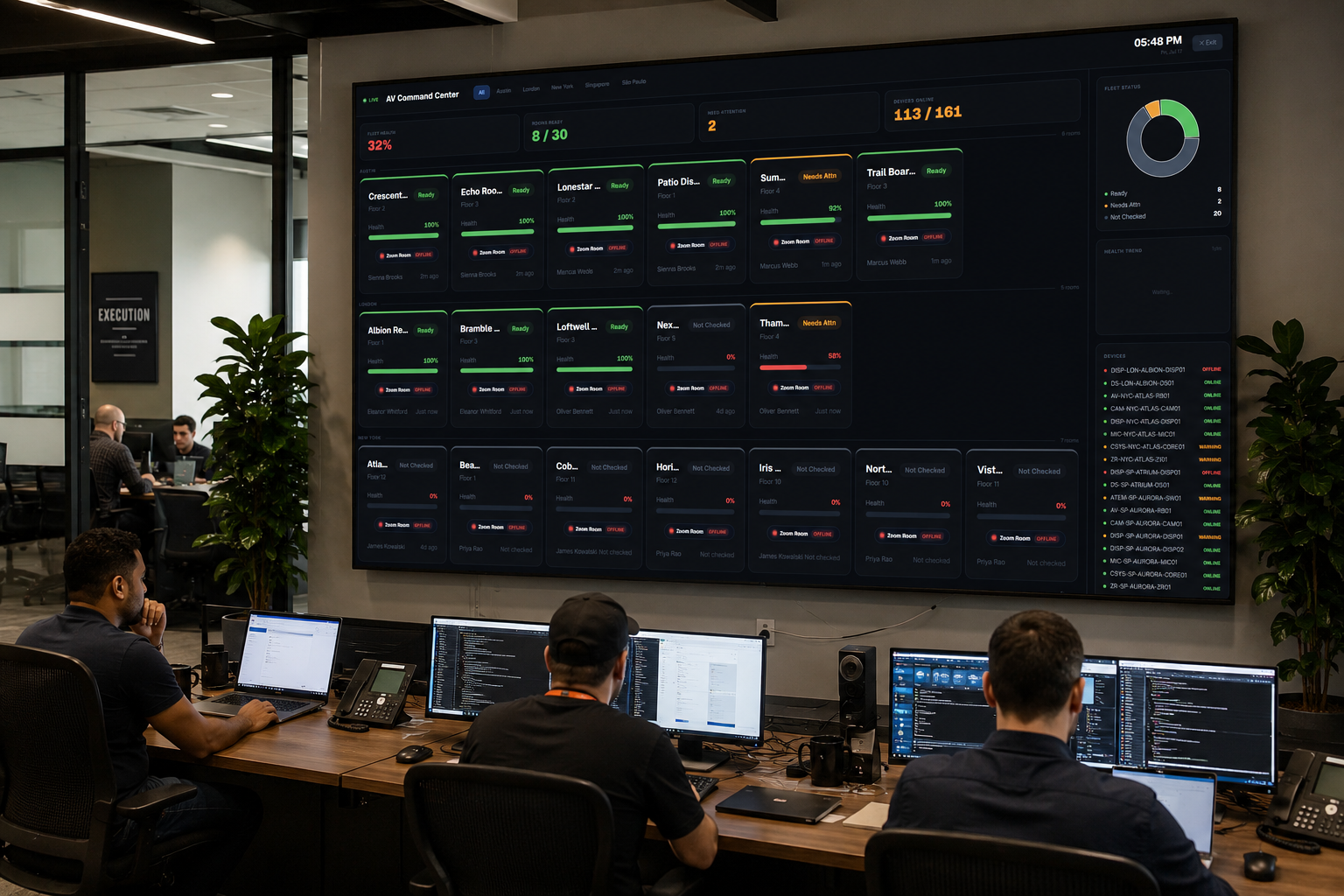
AVRoomPulse Global Kiosk running on a NOC wall display above a bank of tech workstations
Live · Always on
Global Kiosk

Every room, visible at all times.

The AV Command Center kiosk runs on tech workstations and NOC displays — an always-on fleet health monitor across every site your team owns.

  • Global fleet healthFleet %, rooms ready, need attention, devices online — one glance across every site.
  • Per-site filterJump from All to a single office in one tap. Same layout, scoped view.
  • Live device listEvery device, status color-coded, right rail. Anything red reads at a distance.
  • Always-on visualRuns on tech workstations and NOC displays. Sign in once — the kiosk stays live.
Network AI · Live switch control

Talk to your network.

Read live topology, propose changes, review impact, approve, roll back — in plain English, on real hardware. Every action audit-logged.

Network AI
AI-assisted switch management — read live data, propose changes, review impact, approve, roll back.
Switches1
Topology
VLANs
Pulse Mapping
Changes4
Audit Log
M4250-26G4F-PoE++
Netgear M4250-26G4F-PoE++ · New York HQ · 192.168.1.249 · Rack 3
synced 2:45:51 PM
NETGEAR
M4250-26G4F-POE++
PWR
PoE
FAN
MGMT
CONSOLE
USB-C
1
3
5
7
9
11
13
15
17
19
21
23
25
27
29
2
4
6
8
10
12
14
16
18
20
22
24
26
28
30
▸ SHOW PORT LIST (30)
Network AI Assistant
Chat with your switch infrastructure — it reads live data and proposes changes for your approval.
Try asking:
Show me all offline ports
Why is the Rally Bar offline?
Which ports belong to VLAN 205?
Which ports consume the most PoE?
Find all Zoom Room devices
Move NY-CORE-SW01 port 17 to VLAN 202
Ask about your switches…
PulseDrawing

PulseDrawing is the signal flow every stakeholder can read.

An interactive AV signal flow with live device status, port maps, and cable types — one drawing per room, kept current with the fleet.

Pulse Drawing · Iris Conference
New York HQ · Floor 10 · Live signal flow
✦ AI Connections+ Suggest cables✓ Saved7TOTAL6ONLINE1WARNING
+ Dante Audio+ HDMI VideoMIC-NYC-IRIS-MIC01MICROPHONECat6 ControlPowerDanteXLR10.10.33.68CAM-NYC-IRIS-CAM01CAMERACat6 ControlPowerHDMIUSBSDI10.10.33.69QSYS-NYC-IRIS-CORE01DSPDante 1Dante 2Analog In 1Analog In 2Cat6 ControlPowerDante 1Dante 2Analog Out 1Analog Out 2USB10.10.33.65AV-NYC-IRIS-RB01LOGITECH RALLY BARCat6PowerHDMIUSB10.10.33.66ZR-NYC-IRIS-ZR01ZOOM ROOMHDMIUSB 1USB 2Cat6PowerHDMI 1HDMI 210.10.33.67DISP-NYC-IRIS-DISP01DISPLAYHDMI 1HDMI 2HDMI 3DisplayPortCat6 ControlPower10.10.33.70
Cable keyHDMIUSBDante AudioCat6 / EthernetPowerSDI
Immersive views

Walk every room, before you go.

Digital twins of your rooms — 360° virtual tours with live device hotspots, floor-plan navigation, and health telemetry overlaid on the space. Powered by Immersiview360.

  • Device hotspotsClick any blue pin to see the device: status, VLAN, last check.
  • Floor-plan navJump between rooms; the minimap tracks which room you’re standing in.
  • Live system healthRoom Info panel mirrors your live telemetry, always current.
  • Headset readyPresent a room to a client in a Meta Quest or Apple Vision Pro.
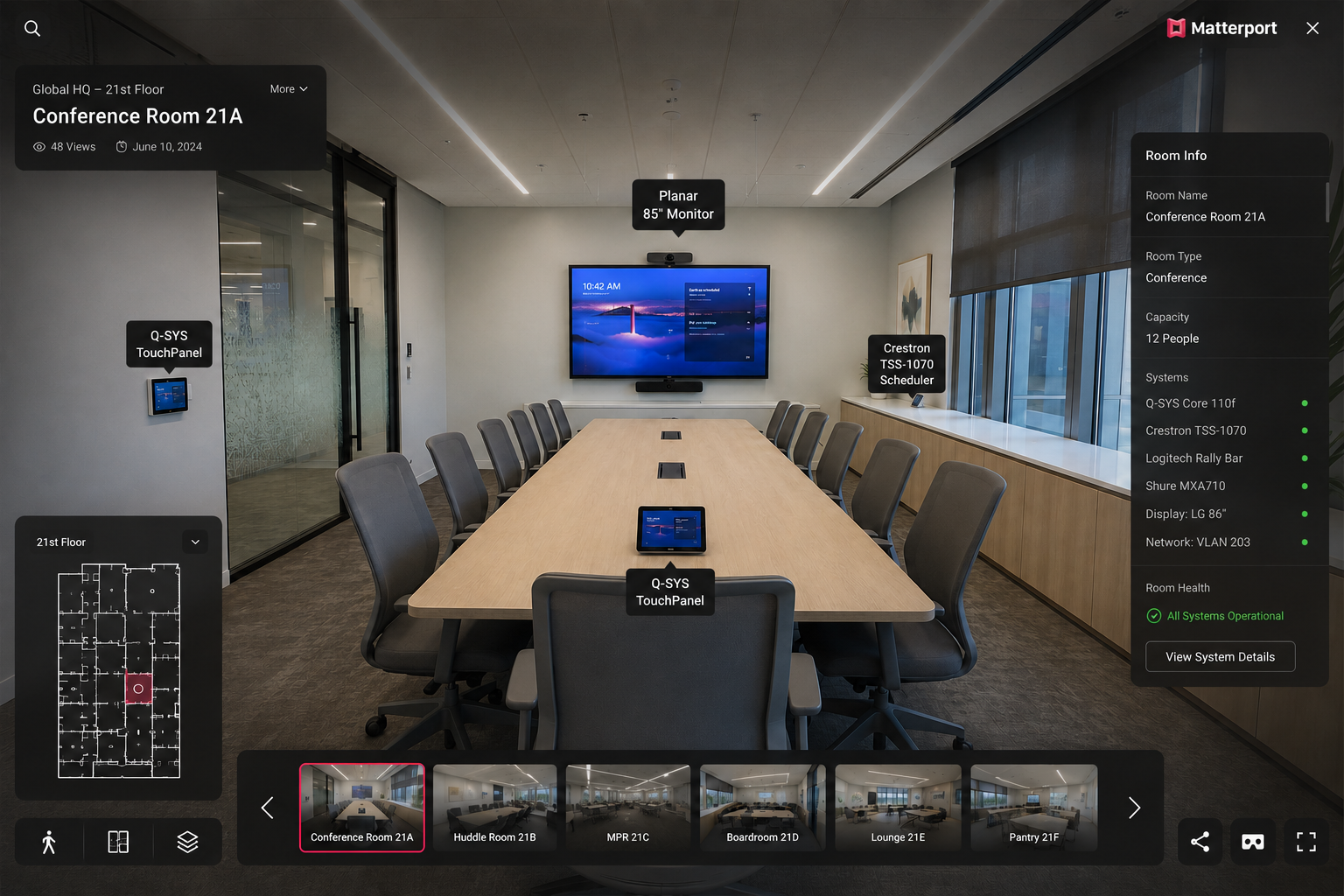
Immersiview360 virtual tour of Conference Room 21A
i
Immersiview360
Room checks · QR health

The room tells the user it's ready.

Techs run a one-tap check on every device. The result is published to a QR code posted in the room. Users scan it before their meeting to see the room is ready — and who signed off.

Room Checks
Crescent Huddle · Floor 22 · New York HQ
All PassAll FailAll N/A
Room health0%
AV-NYC-CRESCENT-RB01CRITICAL
10.20.27.91
✓ Pass✗ Fail– N/A
AV3 Processor
192.168.1.231
✓ Pass✗ Fail– N/A
DISP-NYC-CRESCENT-DISP01
10.20.27.93
✓ Pass✗ Fail– N/A
Home ProcessorCRITICAL
192.168.1.86
✓ Pass✗ Fail– N/A
M4250-26G4F-PoE++
192.168.1.249
✓ Pass✗ Fail– N/A
TS-1070
192.168.1.13
✓ Pass✗ Fail– N/A
ZR-NYC-CRESCENT-ZR01
10.20.27.92
✓ Pass✗ Fail– N/A
Room Health
Crescent Huddle
Scan to see live status
Room Health
Live status
AV Assistance
Report issue
One-tap pass / fail per device QR posted in every room Second QR opens AV Assistance
AI-assisted ops

From alert to fix, in nine minutes.

Echo proposes a fix in seconds — the tech reviews, approves, applies. Ticket auto-created, notes logged, room back online. Every step audit-trailed.

9 min
MTTR (example)
1 tap
to approve the fix
1
ticket, one owner
09:22
Rally Bar offline
System
MPR Room 2230 · no heartbeat from the room agent for 4 minutes
09:23
Echo proposes a fix
AI
Cycle PoE on M4250 port 1/0/12 — one action, rolls back if the link doesn’t recover
09:24
Tech reviews the context
Tech
Switch port, agent handshake, and last device state surfaced in one panel
09:24
Approve → apply
Tech
PoE cycled · link recovers in 8s · action written to the audit log
09:25
Ticket auto-created
System
Linked to the room, the device, and the audit trail · assigned to the on-call tech
09:31
Resolved
Tech
Notes logged · Rally Bar back online · MTTR 9m
Echo · Live automation

Ask.
Approve.
Applied.

Echo turns natural-language questions into safe, reviewable network actions. Every step is proposed, approved, and audited — the tech is always in the loop, never the bottleneck.

Actions audited
100%
One-click rollback
Always
Read-only by default
Yes
Echo
AV Ops Intelligence
Hi! I'm Echo, your AV ops assistant. Ask me anything about audio, video, cameras, DSPs, or room checks.
Common issues
No audio in the room
Camera is offline
Audio feedback / squealing
Zoom Room not connecting
Q-SYS Core offline
Room check steps
Ask an AV question…
AVRoomPulse Mobile

Made for the tech in the field.

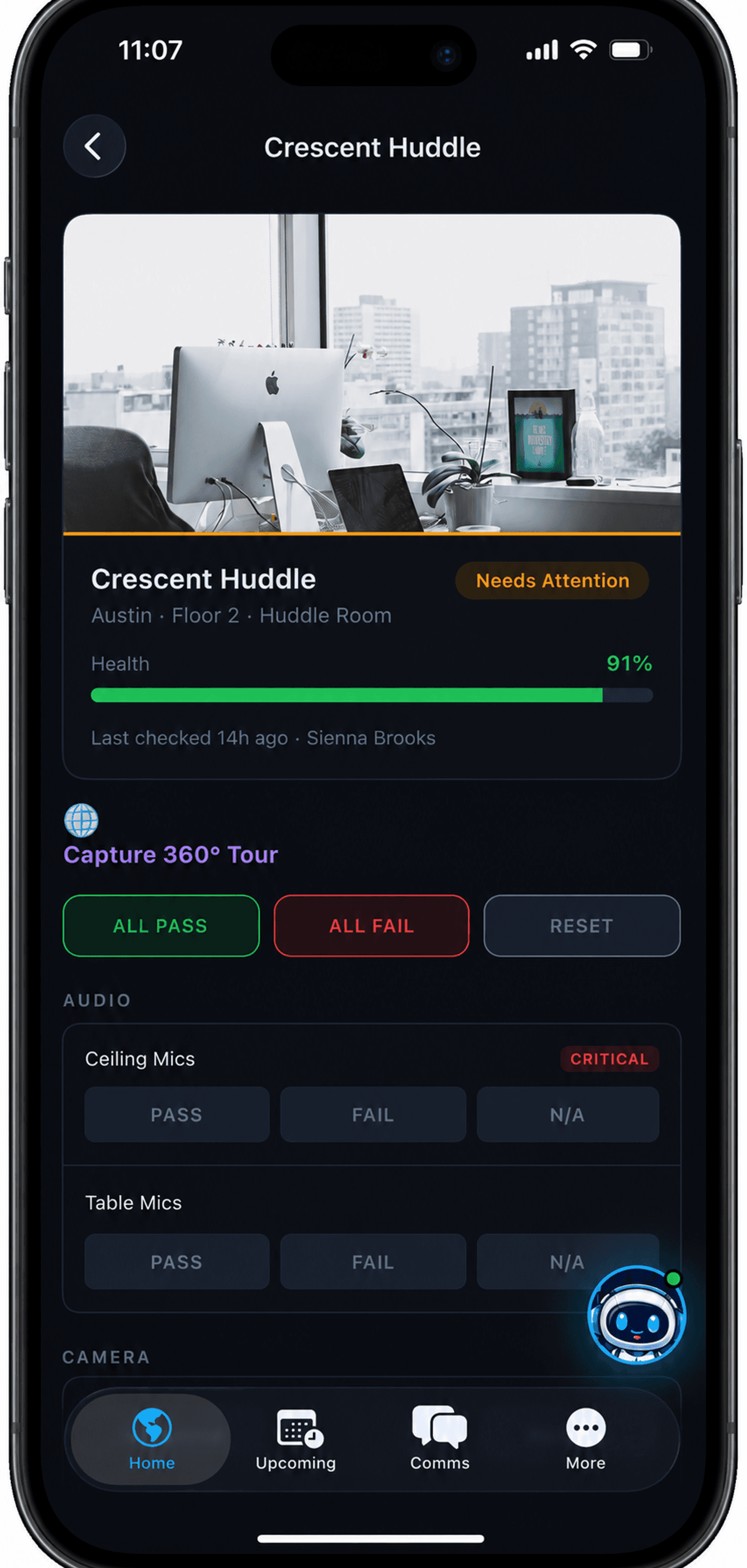
Sign in from any jobsite, sweep the globe for what needs attention, and run a room check by tapping pass or fail — no laptop required. Ships today on iOS, native on iPhone.
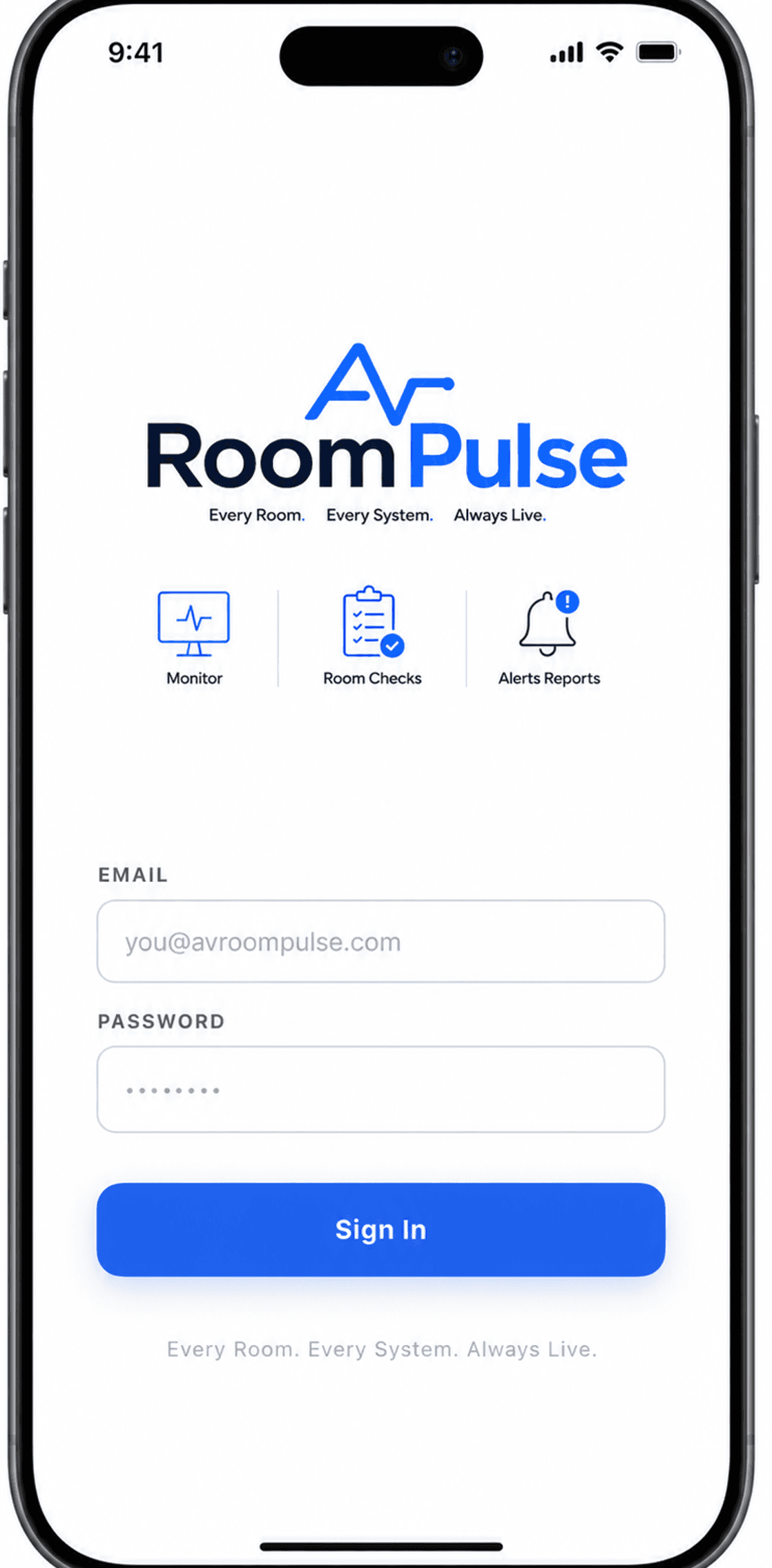
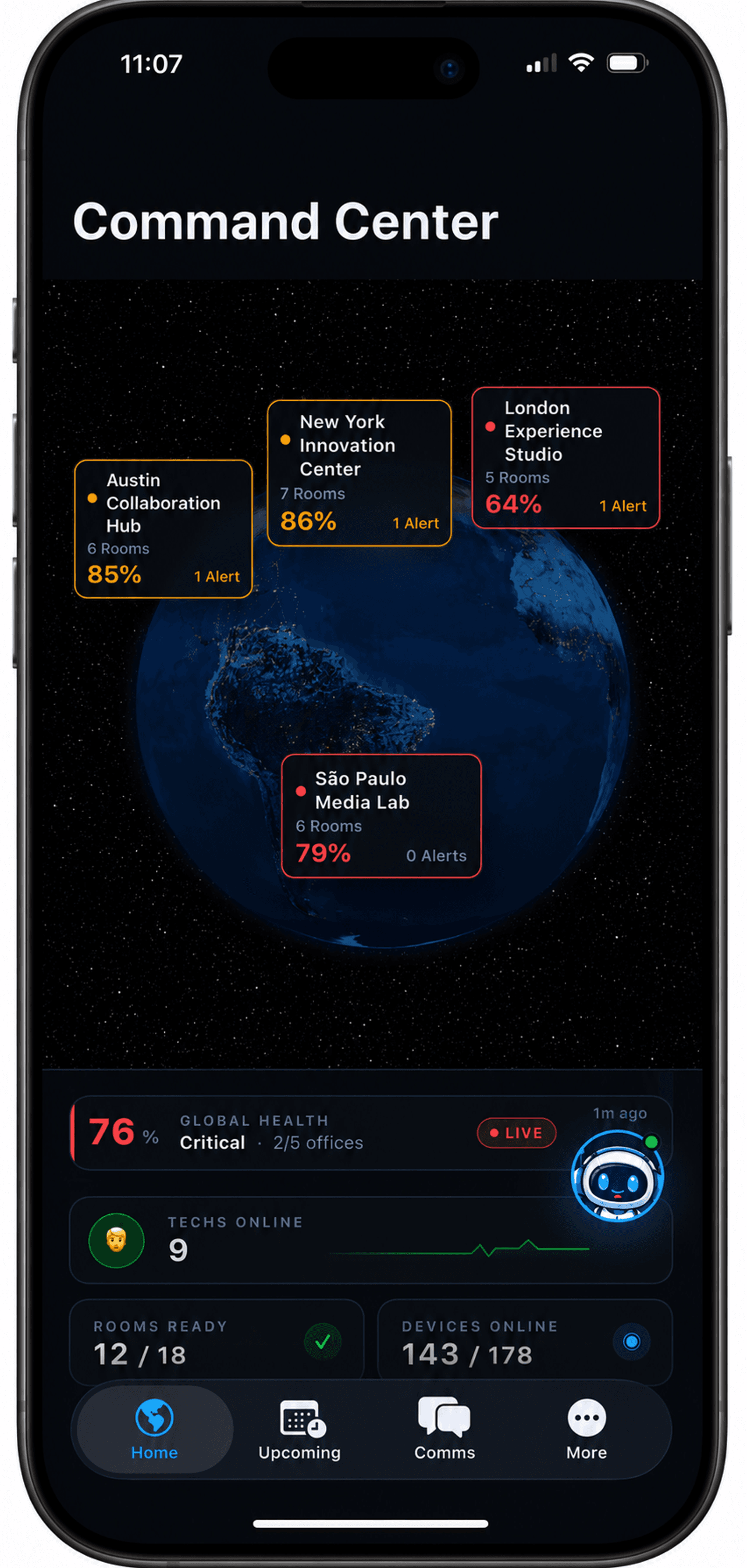
Sign in from anywhere
Every Room. Every System. Always Live. One tap gets your team on the same page.
Global Command Center
A live globe of every office — health, alerts, techs on shift, rooms ready — at a glance.
Room-level detail in the field
Health, last check, and per-device pass / fail / N-A — no laptop required.
Download on theApp StorePrefer the web dashboard →
Outcomes · Real teams

Fewer fires. More rooms. Same team.

Enterprise AV teams and integrators run their day out of Pulse. Here’s what shifts once every room, device, and ticket lives in one live view.

0%
Fewer room-down calls
after 60 days on Pulse
0 min
Avg time-to-fix
from ticket open to resolved
0.0×
Rooms per tech
coverage without adding headcount
<1 day
Time to first live room
no installer, no IT ticket
AVRoomPulse gave me a live command center I never thought was possible for an AV shop our size. It’s honestly incredible — I can see every room, every device, from one screen.
Ariel MunizSenior Engineer · ADB Consulting
One live view for every client site
This has saved me so much time. I used to spend half my week chasing room issues across spreadsheets and Slack — now the platform tells me what’s wrong before anyone calls.
Esmerlin TaverasSenior Technician · Private Nonprofit Organization
Hours reclaimed every week
The QR quick-check alone replaced two spreadsheets and a Monday-morning walkaround. My techs actually use it because it takes 20 seconds per room.
Sarah ChenVP of Workplace Technology · Mid-market SaaS
Two tools retired, 20-sec room checks
First platform I’ve used where the room-health map actually matches what I’m seeing on-site. Echo caught a switch port dropping PoE before the wall panel died.
Marcus ReidSenior AV Engineer · Fortune-500 Healthcare
Caught a failure before the room went down

Ready to modernize enterprise AV?

See your rooms, systems, and inventory the way your team should see them — no signup, no install. When you're ready, book a walkthrough.

Explore live demoBook 20-min walkthrough
No credit card required Onboarding in a day SSO / SAML ready